
PABX System: The Complete Business Guide to Private Automatic Branch Exchange
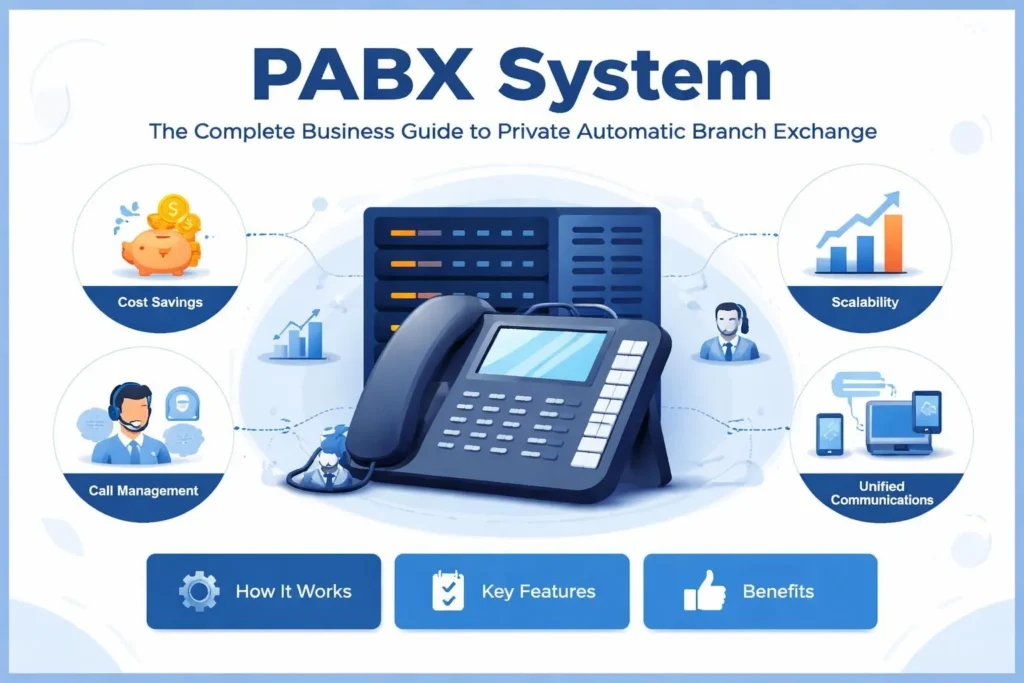
Every growing business reaches a point where managing phone calls becomes a serious operational challenge. Missed calls cost customers. Transferring calls manually wastes time. Paying for a separate phone line for every employee drains budgets. A PABX system solves all of these problems — and does far more than most business owners realize.
This guide explains everything you need to know about PABX systems: what they are, how they work, what types exist, which features matter most, and how to choose the right solution for your business size and budget.
What Is a PABX System?
PABX stands for Private Automatic Branch Exchange. It is a private telephone network used within a company or organization that allows internal users to communicate with each other and with the outside world through a shared pool of external phone lines.
The word “automatic” is the key distinction from its predecessor, the PBX (Private Branch Exchange). Earlier PBX systems required a human operator to manually connect calls. A PABX system handles all call routing automatically, without any operator intervention, using built-in switching technology.
In practical terms, a PABX system means that a company with 200 employees does not need 200 separate phone lines. Instead, the system manages a smaller number of external lines and routes incoming and internal calls intelligently across every desk, department, and device in the organization.
How Does a PABX System Work?
Understanding how a PABX system works helps businesses make smarter decisions about configuration, capacity planning, and feature selection.
The Core Switching Mechanism
At its heart, a PABX system functions as an intelligent call-routing engine. When a call comes in from outside, the system receives it on one of the available external lines (called trunk lines), identifies the destination based on the dialed number or auto-attendant selection, and routes it to the correct internal extension — all within milliseconds.
When an internal user wants to make an outgoing call, the system allocates an available trunk line automatically. When two employees want to speak to each other, the call travels entirely within the internal network without ever touching an external line, which is why internal calls on a PABX system are typically free.
Extensions and Internal Numbering
Each phone or device connected to a PABX system is assigned an internal extension number — typically three to five digits. Employees dial extensions to reach colleagues directly. The PABX handles the translation between internal extension numbers and external public phone numbers.
The Role of the PBX Server or Control Unit
The control unit is the brain of the PABX system. It manages the directory of extensions, applies call routing rules, processes auto-attendant menus, enforces call permissions (for example, blocking international calls from certain extensions), generates call logs, and handles all voicemail functions.
In traditional hardware-based systems, this is a physical appliance installed on-site. In modern hosted or cloud PABX systems, the control unit exists as software running on remote servers managed by a third-party provider.
Types of PABX Systems: Choosing the Right Architecture
PABX systems come in several distinct architectures, each suited to different business sizes, IT environments, and budget constraints. Choosing the right type is one of the most important decisions in the purchasing process.
Traditional Analog PABX System
The original form of PABX technology, analog systems use physical circuit-switched telephone lines (PSTN — Public Switched Telephone Network) to handle calls. They are highly reliable, work without internet connectivity, and are familiar to IT teams that have managed them for decades.
However, analog PABX systems are expensive to expand, costly to maintain, difficult to integrate with modern software, and increasingly hard to support as manufacturers shift focus to digital and IP-based alternatives. For most new installations, analog systems are no longer the recommended choice.
Digital PABX System
Digital PABX systems replaced analog technology by converting voice signals into digital data streams, dramatically improving call quality and expanding feature sets. They use ISDN (Integrated Services Digital Network) lines and support more extensions, better call clarity, and more advanced call management features than analog predecessors.
Digital systems remain in active use in many mid-sized businesses, particularly those with existing infrastructure that has not yet reached end-of-life. They offer more reliability than purely internet-based systems in areas with poor broadband connectivity.
IP PABX System (VoIP PABX)
An IP PABX system routes telephone calls over an internet protocol (IP) network — essentially the same data network your computers use. This technology, also known as VoIP (Voice over Internet Protocol) PABX, has become the dominant standard for new business telephony installations worldwide.
IP PABX systems offer significant advantages: dramatically lower call costs (especially for long-distance and international calls), seamless integration with CRM platforms and business software, easy scalability (adding a new extension is a software configuration, not a hardware installation), and support for mobile and remote workers.
The primary requirement is a reliable, high-quality broadband connection. Businesses with inconsistent internet connectivity may need to invest in network upgrades before deploying an IP PABX system effectively.
Hosted PABX System (Cloud PABX)
A hosted PABX system — also called a cloud PBX or virtual PABX — moves the entire system infrastructure off-site to servers managed by a telecommunications provider. The business pays a monthly subscription fee and accesses all PABX functionality through the internet.
This model eliminates upfront hardware costs, removes the need for on-site IT maintenance, and makes the system accessible from any location with an internet connection. It is particularly well-suited to small and medium businesses that lack dedicated IT resources, as well as organizations with distributed workforces or multiple office locations.
The trade-off is ongoing subscription expense and dependence on the provider’s infrastructure and uptime guarantees. Evaluating the service level agreement (SLA) carefully before committing to a hosted PABX provider is essential.
Hybrid PABX System
A hybrid PABX system combines traditional circuit-switched telephony infrastructure with IP and VoIP capabilities. It allows businesses to migrate gradually from legacy analog or digital systems to modern IP technology without a full replacement, protecting existing hardware investment while gaining access to new features.
Hybrid systems are commonly chosen by larger organizations undergoing digital transformation over a multi-year timeline, or by businesses in regions where broadband reliability makes a full VoIP migration impractical.
Key Features of a Modern PABX System
The value of a PABX system lies not just in connecting calls but in the rich set of features that enhance how businesses manage communication. Understanding these features helps organizations prioritize what they need and avoid paying for capabilities they will never use.
Auto-Attendant and IVR
The auto-attendant is the automated menu system that greets callers and guides them to the right department or extension — “Press 1 for Sales, Press 2 for Support.” More sophisticated implementations use Interactive Voice Response (IVR) technology that can understand spoken responses, handle complex menu trees, and integrate with databases to provide callers with account information without agent involvement.
A well-configured auto-attendant creates a professional first impression and reduces the volume of calls that need to reach a live agent, freeing staff for higher-value interactions.
Call Forwarding and Call Transfer
PABX systems allow calls to be forwarded automatically to another extension, a mobile phone, or a voicemail box based on rules that administrators configure — for example, forwarding to a mobile number when an extension is not answered after four rings.
Call transfer allows agents to hand a live call to a colleague, either with a brief consultation (attended transfer) or immediately (blind transfer). These features are fundamental to delivering smooth customer experiences.
Voicemail and Voicemail-to-Email
Every extension on a modern PABX system can have its own voicemail box. Advanced systems offer voicemail-to-email functionality, converting recorded messages into audio file attachments and delivering them directly to the user’s inbox — ensuring messages are never missed even when staff are away from their desks.
Call Recording
Call recording captures conversations for quality assurance, compliance, training, and dispute resolution. Many industries — financial services, healthcare, legal — operate under regulatory requirements mandating that certain calls be recorded and retained for defined periods.
PABX systems with built-in call recording eliminate the need for separate recording hardware and software, storing recordings in searchable archives accessible to authorized administrators.
Conference Calling
Multi-party conference calling allows groups of employees, clients, or partners to join a single call without requiring third-party conferencing services. Advanced PABX systems support conference bridges that can accommodate dozens of participants simultaneously, with moderator controls for muting, recording, and managing participant access.
Call Queuing and Hunt Groups
Call queuing holds incoming callers in a waiting line when all agents are busy, playing hold music or informational messages while they wait. Hunt groups distribute incoming calls across a set of extensions in a defined sequence (linear, round-robin, or simultaneous ring) to ensure calls are answered efficiently.
These features are particularly critical for contact centers and customer-facing departments where abandoned calls directly impact revenue and satisfaction.
Direct Inward Dialing (DID)
Direct Inward Dialing allows external callers to reach a specific employee’s extension directly without going through a receptionist or auto-attendant menu. Each employee gets a unique external phone number that maps directly to their internal extension, improving accessibility and professionalism.
Reporting and Analytics
Modern PABX systems generate detailed call data records — tracking call volumes, wait times, answer rates, call durations, missed calls, and agent performance across any time period. This data is invaluable for workforce planning, identifying bottlenecks, measuring customer service performance, and making evidence-based decisions about staffing levels.
Mobile Integration and Remote Extensions
A significant advantage of IP and cloud PABX systems is the ability to register mobile phones and remote computers as extensions on the system. An employee working from home or traveling internationally can make and receive calls on their office extension using a softphone application, maintaining a consistent business number regardless of physical location.
PABX System vs PBX System: Understanding the Difference
The terms PABX and PBX are frequently used interchangeably in the market, which causes confusion. The technical distinction is meaningful but largely historical.
PBX (Private Branch Exchange) originally referred to systems that required a human operator to manually connect calls. PABX introduced automation, removing the need for an operator. As all modern systems are fully automated, the practical difference between PBX and PABX in today’s market is essentially zero — vendors use both terms to describe the same technology.
When evaluating providers, focus on the underlying architecture (analog, digital, IP, hosted, or hybrid) and feature set rather than whether the product is marketed as a PBX or PABX.
Benefits of a PABX System for Businesses
The business case for investing in a PABX system is straightforward when the benefits are quantified against the alternatives.
Significant Cost Reduction
Consolidating external lines across a large workforce dramatically reduces monthly telecom expenditure. Internal calls are free. IP PABX systems reduce long-distance and international call costs by 40 to 80 percent compared to traditional PSTN rates. A hosted PABX eliminates capital expenditure on hardware entirely.
Professional Image for Any Business Size
A solo entrepreneur or a five-person startup can present the same professional call experience as a 500-person corporation — with a polished auto-attendant, dedicated extension numbers, and hold music. For customer-facing businesses, this perception matters enormously in winning and retaining clients.
Scalability Without Disruption
Adding a new employee to a traditional phone system might require new wiring, new hardware, and a call to the telephone company. Adding a new extension to a modern IP or cloud PABX system typically takes minutes and involves nothing more than a software configuration.
Enhanced Team Productivity
Features like call forwarding, presence indicators (showing whether a colleague is available, busy, or away), instant internal transfers, and integrated messaging reduce the time employees spend managing communication logistics, freeing more of their day for productive work.
Support for Remote and Hybrid Work
The shift toward remote and hybrid working has made mobile integration and remote extension capabilities essential rather than optional. A cloud PABX system turns any internet-connected device — laptop, tablet, or smartphone — into a full-featured office phone, keeping distributed teams connected without sacrificing professionalism.
Centralized Management and Control
Administrators manage the entire PABX system from a single web-based interface — adding extensions, adjusting routing rules, setting call permissions, pulling reports, and configuring voicemail without needing specialized technical training or vendor assistance for routine tasks.
How to Choose the Right PABX System for Your Business
Selecting a PABX system is a significant decision with long-term implications for communication quality, operational efficiency, and cost structure. These are the factors that matter most.
Assess Your Current and Future Scale
Start by counting current employees and estimating growth over the next three to five years. A system that perfectly fits your current team may become a bottleneck as you scale. Cloud PABX systems are generally the most flexible for rapidly growing businesses. On-premise systems may offer better economics for large, stable organizations.
Evaluate Your Internet Infrastructure
IP and hosted PABX systems depend entirely on your internet connection quality. Before committing to a VoIP-based solution, test your current bandwidth, latency, and jitter levels. If your internet infrastructure is inadequate, either invest in upgrading it or consider a hybrid system that maintains circuit-switched backup capacity.
Identify the Features You Actually Need
Build a prioritized list of required features versus desirable features before engaging vendors. Businesses that primarily need basic call routing and voicemail have very different requirements from contact centers that need advanced IVR, CRM integration, call recording, and real-time queue analytics. Matching features to genuine needs prevents both overpaying for unused capabilities and under-specifying a system that cannot meet operational demands.
Consider Total Cost of Ownership
Compare costs across the full lifecycle of the system, not just the upfront price. On-premise systems involve hardware purchase, installation, maintenance contracts, and eventual hardware refresh cycles. Hosted systems involve monthly subscription fees but minimal capital expenditure. Factor in the internal IT time required to manage each option.
Examine Vendor Reliability and Support
A PABX system is mission-critical infrastructure. Any outage directly impacts customer communication and business revenue. Evaluate providers on uptime SLAs (look for 99.9% or higher), support response times, escalation processes, and geographic redundancy of their data centers. Check independent reviews and references before making a final decision.
Verify Integration Capabilities
If your business uses CRM software (Salesforce, HubSpot, Zoho), helpdesk platforms (Zendesk, Freshdesk), or unified communications tools (Microsoft Teams, Slack), confirm that your chosen PABX system offers native integrations or open APIs that support these connections. Integrated telephony dramatically improves agent productivity and customer data quality.
PABX System Installation: What to Expect
The installation process for a PABX system varies significantly based on type. A hosted cloud PABX can often be operational within hours — the provider provisions the account, you configure extensions through a web portal, and employees download softphone apps or receive pre-configured physical handsets.
An on-premise IP PABX installation typically requires a site survey, network infrastructure assessment, server installation (or configuration of existing server hardware), phone provisioning, and system testing — a process that usually takes one to five days depending on the scale of the deployment.
Traditional analog or digital PABX installations are more complex, often involving physical cabling, hardware installation, and coordination with the telecommunications provider for line provisioning. These projects can take weeks for larger deployments.
Training is an important and often overlooked component of any PABX implementation. Administrators need training on system management, and end users need guidance on features they will use daily — voicemail setup, call transfer procedures, conference calling, and mobile app configuration.
Common PABX System Problems and How to Resolve Them
Even well-configured PABX systems encounter issues. Knowing the most common problems and their solutions helps businesses minimize disruption when things go wrong.
Poor call quality on IP PABX systems — including echo, choppiness, or dropped audio — is almost always a network issue. Quality of Service (QoS) configuration on the network router prioritizes voice traffic over other data, which typically resolves most call quality complaints. Insufficient bandwidth or high network congestion are the underlying causes in most cases.
Calls routing to the wrong extension or department usually indicate misconfigured routing rules or an outdated extension directory. Regular audits of call routing logic, especially after organizational changes, prevent this problem.
Missed calls and voicemail not being checked reliably are often resolved by enabling voicemail-to-email forwarding and configuring mobile forwarding rules for staff who frequently work away from their desks.
Unauthorized international calls are prevented through extension-level call permissions that restrict which types of outbound calls each extension is allowed to make — a critical security configuration for any PABX system connected to the public telephone network.
The Future of PABX Systems: Where the Technology Is Heading
PABX technology is converging rapidly with unified communications (UC) platforms that combine voice, video, messaging, file sharing, and collaboration in a single integrated experience.
AI is playing an increasing role: intelligent call routing uses machine learning to predict which agent is best positioned to handle each incoming call. Real-time transcription and sentiment analysis give supervisors immediate insight into call quality. Automated virtual assistants handle tier-one enquiries without human involvement, reducing volume and wait times.
The public telephone network is itself being replaced. Many countries have committed to switching off legacy PSTN and ISDN infrastructure, making IP-based telephony not just an option but a necessity for businesses planning infrastructure investments today.
Businesses that choose flexible, cloud-based PABX platforms with open integration architectures are positioning themselves to adapt as these changes unfold — rather than facing another costly replacement cycle when the technology landscape shifts again.
Conclusion: Is a PABX System Right for Your Business?
For any organization managing more than a handful of employees and caring about how it presents itself to customers, a PABX system is not a luxury — it is a foundational piece of business infrastructure.
The right PABX system reduces costs, projects professionalism, empowers remote teams, scales with growth, and gives management the data they need to continuously improve how the business communicates. The wrong choice — whether that means the wrong type, wrong vendor, or wrong feature set — creates ongoing friction and expense.
The decision framework is straightforward: understand your scale and growth trajectory, assess your internet infrastructure, identify the features your operations genuinely require, and compare total cost of ownership across vendors. Do that analysis rigorously, and the right PABX system becomes obvious.
Your phone system is often the first point of contact between your business and its customers. Investing in a PABX system that handles that interaction flawlessly is one of the highest-return operational investments a growing business can make.